
Download SH 52D 取扱説明書 – SH-52D, SHARP, manual, instruction, guide, Android 14, AQUOS R8, docomo, user guide, e-torisetsu, device manual
Overview
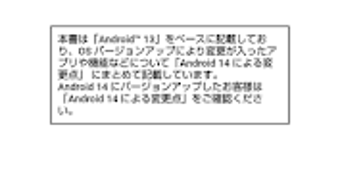
The SH 52D 取扱説明書 Android 14 is a dedicated digital instruction manual developed by SHARP CORPORATION for the SH-52D device. Designed specifically for users of the AQUOS R8 SH-52D model, this application serves as the official e-torisetsu (electronic user guide) to support device setup, operation, and troubleshooting. Its primary purpose is to provide clear, structured guidance through the device’s features and functions, with an emphasis on usability and accessibility. The application enables users to view the manual in a digital format and offers direct access to certain device functions through embedded links in the explanatory text, streamlining navigation and reducing the need to switch between multiple interfaces.
This tool is intended for consumers and end-users who own the SH-52D smartphone and seek an efficient way to understand its capabilities. It is not designed for use on other device models, ensuring content accuracy and compatibility. The guide covers essential aspects of device usage, including initial setup, camera operations, connectivity options, and system settings. It is particularly useful for new users or those unfamiliar with the device’s interface. The application is available exclusively on the Android 14 operating system, reflecting its tailored integration with the device’s software environment.
Key Features & Capabilities
- Official Digital Manual – Provides the complete user guide for the SH-52D device, formatted for easy reading on mobile screens.
- Interactive Function Launch – Allows users to directly activate specific device functions from within the manual text, improving workflow efficiency.
- Device-Specific Design – Ensures compatibility and content accuracy only for the AQUOS R8 SH-52D model.
- Android 14 Integration – Built to work seamlessly within the Android 14 ecosystem, leveraging native features for optimal performance.
- Download-Only Access – Requires initial download to use; no offline access is available without prior installation.
These features are designed to enhance user experience by reducing the time spent searching for settings or functions. For example, when reading about the camera mode, users can tap a link to open the camera app directly. This integration helps users transition smoothly from learning to using.
The application is structured to support both novice and experienced users, offering clarity without overwhelming detail. It is especially beneficial in environments where quick reference is essential, such as customer service or technical support scenarios. The developer did not provide additional feature details beyond those listed.
User Interface, Workflow & Performance
The user interface of the SH 52D 取扱説明書 is designed for clarity and ease of navigation, with a clean layout optimized for mobile viewing. Text is organized into sections and subsections, with intuitive headings and visual cues to guide users through the manual. Navigation is primarily linear, with a table of contents and search functionality to help locate specific topics. The inclusion of clickable links within the text enables direct access to device functions, reducing steps in the user workflow.
Performance is expected to be stable within the Android 14 environment, as the application is built specifically for the SH-52D model. However, exact performance details were not specified by the developer. General software behavior patterns suggest efficient loading times and minimal lag during navigation.
The application does not appear to require high CPU or RAM usage, given its modest file size of 3.2 MB. Stability is likely maintained through targeted development for a single device model. The developer did not specify resource usage details.
Compatibility & System Requirements
The SH 52D 取扱説明書 is compatible exclusively with the Android 14 operating system. It is specifically designed for the AQUOS R8 SH-52D device and cannot be launched on other models. This ensures that all content and interactive features are properly aligned with the device’s hardware and software configuration. The application has a file size of 3.2 MB, indicating a lightweight installation that should not significantly impact storage space.
Exact system requirements were not listed. Compatibility information is limited to the device model and OS version. Users are advised to ensure their device runs Android 14 before attempting installation. The developer did not provide additional hardware specifications or memory requirements. It is recommended to use a Wi-Fi connection for downloading and updates to avoid packet communication charges.
Pros and Cons
Pros
- Official, accurate guide tailored to the SH-52D device
- Interactive features allow direct function launching from the manual
- Lightweight at only 3.2 MB in size
- Free to download and use
- Integrated with Android 14 for seamless performance
Cons
- Not compatible with devices other than the SH-52D
- Requires internet connection for initial download and updates
- Limited to Android 14, restricting use on older or newer OS versions
- No offline access without prior download
- Developer did not provide detailed system requirements
FAQ Section
Is the SH 52D 取扱説明書 compatible with other SHARP devices?
The application is designed exclusively for the SH-52D model and cannot be used on other SHARP devices.
Can I use this app offline after downloading?
Yes, once downloaded, the app can be used offline. However, initial access requires an internet connection.
Is the app free to download and use?
Yes, the application is available at no cost.
Do I need to pay for updates?
Updates are provided at no additional cost, but they require an internet connection and may incur data charges.
What operating system is required?
The app requires Android 14 to function properly.
Final Thoughts + CTA
The SH 52D 取扱説明書 Android 14 stands out as a focused, well-integrated tool for users of the AQUOS R8 SH-52D smartphone. Its interactive design, official content, and lightweight nature make it a practical choice for anyone seeking efficient access to device instructions. While its limited compatibility and dependency on an internet connection for updates are notable constraints, the benefits of direct function access and accurate guidance outweigh these drawbacks for the target audience.
For owners of the SH-52D device, this application offers a modern, user-friendly alternative to printed manuals. It enhances usability by bridging the gap between learning and doing. Whether you're a first-time user or a tech-savvy individual, this guide streamlines the experience. Download SH 52D 取扱説明書 now to get the most out of your device.







